
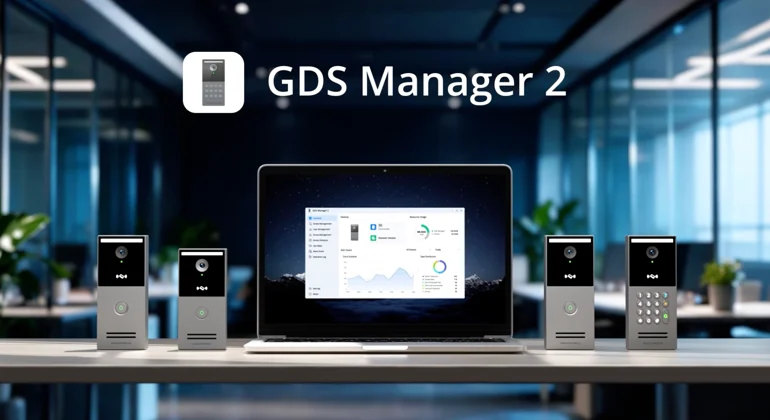
GDS Manager 2 is Grandstream next-generation access control management software, specifically designed for the GDS3720 Series Door Stations. Built to simplify security administration, this advanced platform provides centralized control over connected door stations, user access permissions, device configurations, and security activities.
With powerful management tools and an intuitive interface, GDS Manager 2 helps organizations strengthen security, streamline daily operations, and maintain better control over their facilities. It is suitable for a wide range of applications, including corporate offices, educational institutions, universities, healthcare facilities, warehouses, manufacturing units, and multi-location businesses.
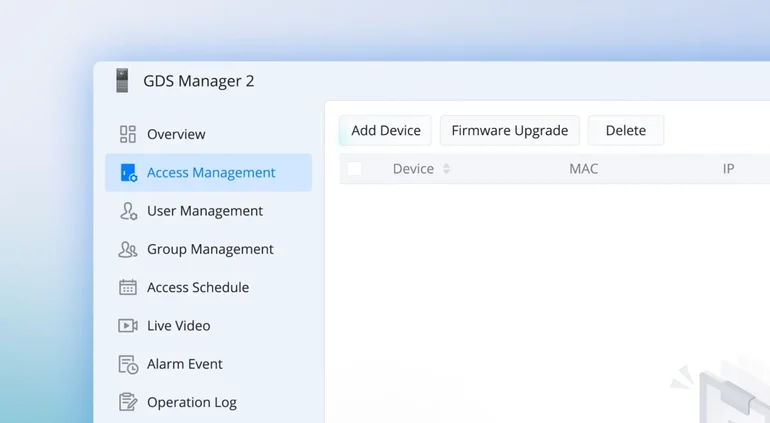
The software features eight dedicated interface tabs: Overview, Access Control Management, User Management, Group Management, Access Schedule, Live Video, Alarm Event, and Operation Log. Each section offers specialized functionality to make access control management more organized, efficient, and convenient.
In this guide, we’ll explore the major features of GDS Manager 2, its interface, and how its advanced access control capabilities help organizations manage their security infrastructure more effectively.
Exploring the GDS Manager 2 Interface
Overview
The Overview tab provides a comprehensive dashboard that displays essential information about the connected GDS device system. It offers a quick snapshot of device connectivity, system activity, storage utilization, and alarm event statistics.
Administrators can view the total number of connected access control devices and discover additional devices through the Access Control Management section.
The dashboard also displays storage consumption, including recorded events, snapshots, and other access control data. Visual charts provide insights into alarm activities and event statistics, with flexible filters for reviewing data from the last 24 hours, 7 days, or 30 days.
This centralized dashboard makes it easier to monitor system performance and stay informed about security activities.
Access Control Management – Simplified Device Administration
The Access Control Management tab provides centralized tools for adding, removing, searching, refreshing, and managing connected GDS devices. Administrators can also monitor device status and perform firmware upgrades directly through the platform.
Using the Discover Devices feature, devices can be added manually or automatically when GDS Manager Mode is enabled on the GDS device. Manual configuration requires details such as the device IP address, port number, device name, and administrator password.
Additional management capabilities include:
- Device Discovery: Find and add compatible GDS devices to the system.
- Device Monitoring: Search for connected devices and refresh their status.
- Bulk Administration: Delete individual or multiple devices conveniently.
- Firmware Upgrades: Update device firmware individually or in bulk.
- Data Synchronization: Transfer user information, access schedules, and holiday lists between GDS Manager 2 and connected devices.
Administrators can either push updated configurations from the software to connected devices or retrieve existing information from devices into the management platform. This helps maintain consistent access control settings throughout the organization.
User/Group Management – Flexible User and Credential Administration
The User Management tab offers a centralized environment for creating and maintaining user profiles, access credentials, device permissions, and device associations.
Administrators can create individual user profiles through the Create User option or upload multiple profiles simultaneously using the Batch Import feature.
GDS Manager 2 also provides flexible device association controls, allowing administrators to add new associations, overwrite existing configurations, or remove users from selected GDS devices.
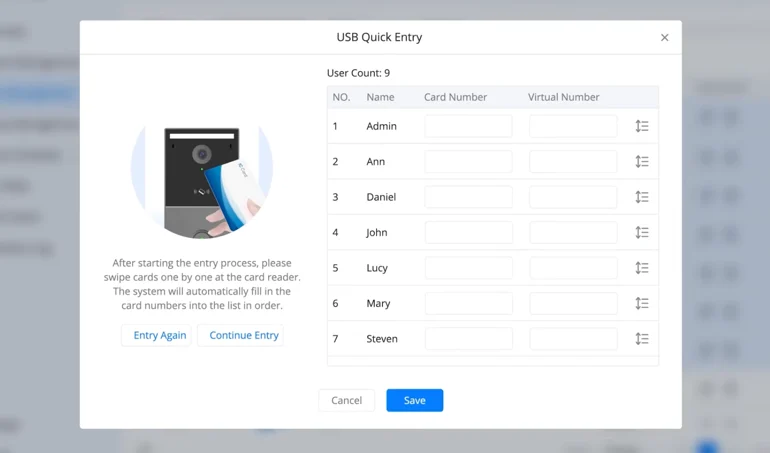
Quick Entry with USB RFID Card Reader
For faster access card enrollment, GDS Manager 2 supports the Grandstream USB RFID Card Reader. Administrators can scan RFID cards to register new credentials, associate cards with existing users, or create new user profiles directly through the card enrollment process.
Batch Card Configuration
The Batch Configuration feature simplifies the administration of multiple access cards. Administrators can:
- Update access card statuses.
- Modify card validity periods.
- Assign access schedules.
- Manage multiple credentials efficiently.
- Export user information for reporting and backup purposes.
Built-in search and filtering options also make locating specific user profiles and managing credentials easier. The Group Management tab helps organizations organize users and devices into manageable groups.
Administrators can create, delete, and search for both user groups and device groups. They can also add or remove users and devices from their respective groups as required.
This functionality simplifies access administration, particularly for organizations managing multiple departments, facilities, or locations.
Access Schedule – Time-Based Entry Permissions
The Access Schedule tab allows administrators to define when users are authorized to access specific facilities through connected GDS devices.
The platform supports up to 50 access schedules, including weekly schedules and All Day access configurations. These options provide flexibility in assigning entry permissions according to organizational requirements.
Additionally, administrators can configure up to 10 holiday entries. Holiday schedules can be imported according to the selected country or region and year, making it easier to manage access restrictions during public holidays and other special occasions.
With customizable time-based permissions, organizations can maintain better control over facility access.
Live Video
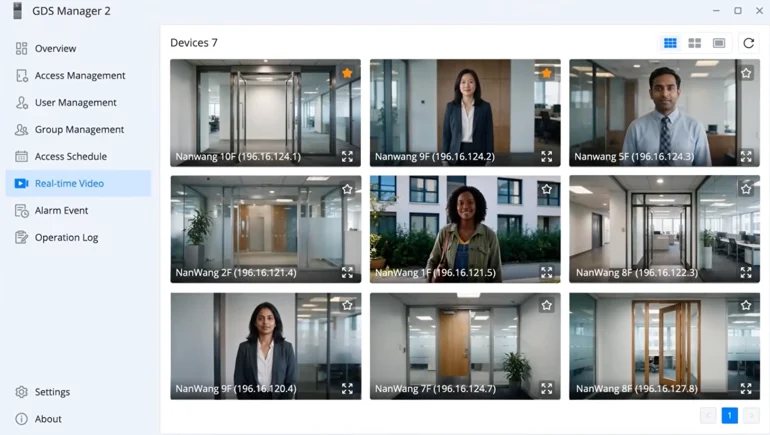
The Live Video tab enables administrators to view real-time video streams from connected GDS devices directly through GDS Manager 2.
Users can customize the video display layout according to their monitoring requirements and refresh individual video feeds to check the latest stream status.
The interface also provides visual alarm notifications whenever a connected GDS device triggers an event. Different severity levels are highlighted using red, orange, and yellow indicators, helping administrators identify important security alerts and respond promptly.
This integrated monitoring capability improves visibility across facilities and supports more effective security management.
Alarm Event/Operation Log
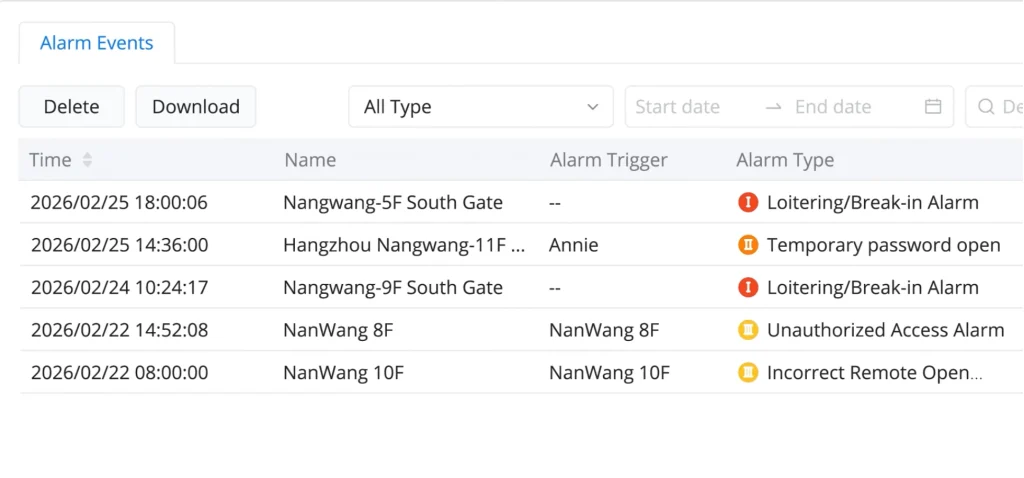
The Alarm Event tab provides a centralized record of alarm activities generated by connected GDS devices.
Administrators can search alarm records using device names and filter events according to alarm types and selected time ranges. This makes it easier to locate specific incidents, review security activities, and monitor events across multiple devices.
By bringing alarm information into a single interface, GDS Manager 2 helps organizations improve security visibility and incident tracking.
The Operation Log tab maintains a detailed record of activities performed within GDS Manager 2.
Designed to support system monitoring, auditing, and troubleshooting, this section allows administrators to review operations and track changes made within the platform.
Users can filter log entries based on status, target, and module to quickly identify relevant activities. The platform also provides options to clear and export operation logs, making record management and system administration more convenient.
Grandstream GDS Manager 2
Grandstream GDS Manager 2 brings device administration, user management, access permissions, video monitoring, and security event tracking together in one centralized platform.
Its eight dedicated interface sections provide administrators with the tools needed to manage connected GDS devices, organize users and groups, configure time-based access permissions, monitor live video, and review security activities.
At Cloud Infotech, we are committed to providing reliable security, communication, and networking solutions that help businesses operate more efficiently. With our focus on quality technology, expert assistance, and customer satisfaction, we help organizations implement solutions that meet their evolving security and connectivity requirements.
Looking for Grandstream GDS3720 Series Door Stations and access control solutions? Connect with Cloud Infotech for product information, expert guidance, and customized business solutions.
Download GDS Manager 2 Software v1.1.16 here.
Check out our video to explore the interface, features, and capabilities of GDS Manager 2